A
Reads the whole bid set
Specs, drawings, addenda and the bid form. crux indexes every page, writes the executive summary and a scope review for every trade, and cites each fact to its sheet, section or addendum item.
SpecsA-611Bid form


Status: pre-launch, private beta, for Windows.
AI estimating for general contractors. crux reads the whole bid set in 10 to 30 minutes, not four to five hours. It cites every answer, turns conflicts into RFIs, levels sub quotes and builds the estimate in your own template. Add-on packs cover specialty subs, starting with painting.
Reads every sheet so you don't have to. An AI agent reviews every drawing and spec page, and every answer is cited back to the source.
Runs on your computer. Your bids never touch our servers.
GC seat $6,990/yr · subcontractor seat $3,990/yr
Watch
One sample GC bid on a public bid set: point crux at the job folder, every page read and indexed, a drawing conflict caught and turned into an RFI, a takeoff checked against the plans, sub bids leveled, and what to carry to win. Every answer cited.
01 · What crux does
crux does the reading, cross-checking and paperwork that eats a GC estimator's week, and it shows its work. crux reads the bid set while you keep working, so you can bid several projects at once. Every quantity and every claim points back to the sheet, spec section or addendum it came from, so you can check it in seconds.
Agentic workflows grounded in your documents: the AI agent does the reading, checking and drafting, and you approve what it finds.
Specs, drawings, addenda and the bid form. crux indexes every page, writes the executive summary and a scope review for every trade, and cites each fact to its sheet, section or addendum item.
When the spec and the drawings disagree, or the bid set leaves something out, crux shows both sources, says which one governs when the documents settle it, and drafts the RFI when they don't.
Each quote is checked item by item against the scope checklist. What a bidder left out is plugged from another bidder's printed breakout, marked and cited, so the leveled totals compare like with like.
One letter per trade package, on your letterhead: a bid form the sub returns, the work included, alternates and breakouts, and what's by others, each item tied to its section or sheet.
Each addendum is logged against the sheets and sections it changes, with what that means for each trade and for your number. Ask for a Current Set and crux builds a copy of the drawings and specs with every change applied and marked with revision clouds. It takes a while and uses credits, so crux asks first.
Quantities come from the drawings' vector geometry, never from a picture. crux carries them, the leveled sub numbers and your general conditions into your own estimate workbook. Prices you haven't confirmed are flagged budget-grade.
Before you spend a week on a bid, crux checks it for fatal flaws, like bonding, the schedule, liquidated damages or a building type you don't build, then scores it against your company's own fit. Every reason points to its page.
Won it? crux builds the submittal register from the specs, preps you for the precon and OAC meetings, scans the contract for risk, and pulls the job's RFIs, submittals and drawings from Procore.
Your tools Settings · Connectors
Your rates, your templates and your company's history live in Settings. Upload a spreadsheet or tell crux what to change in plain words; you see every change before it's saved.
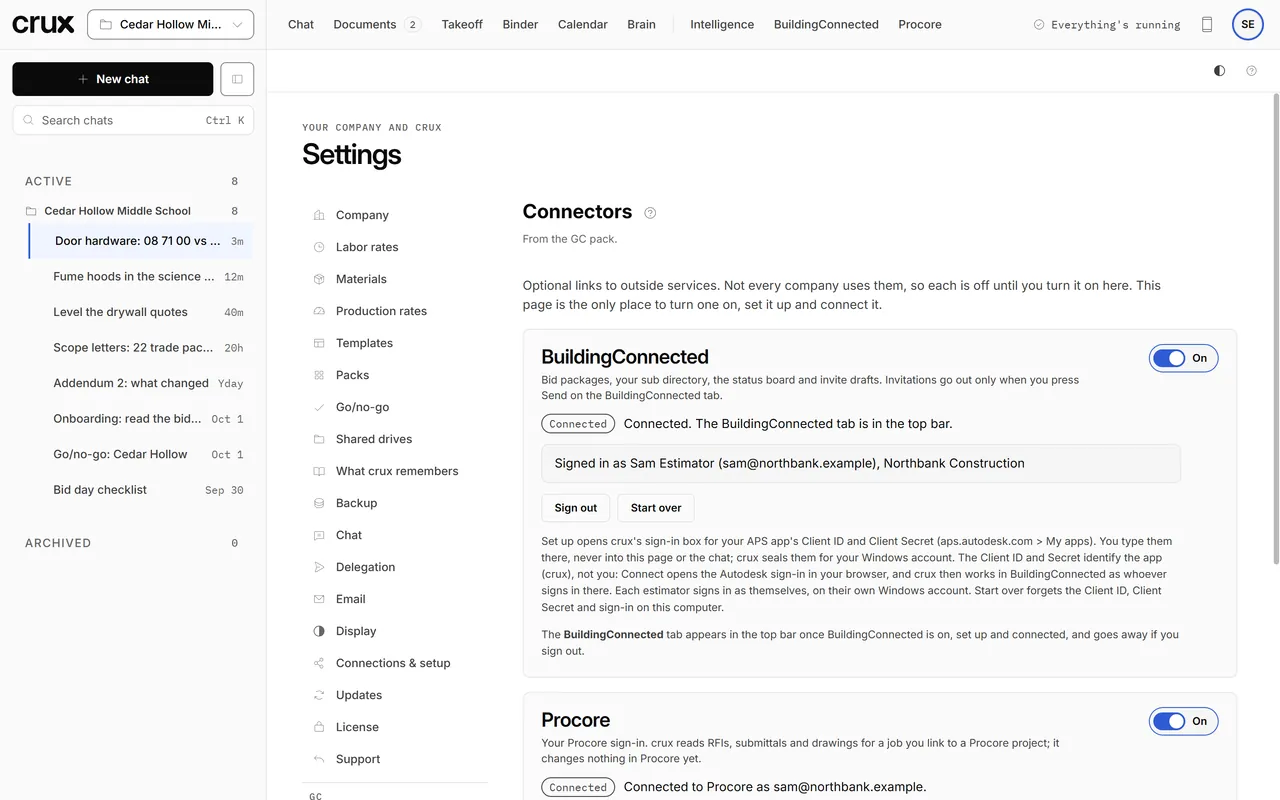
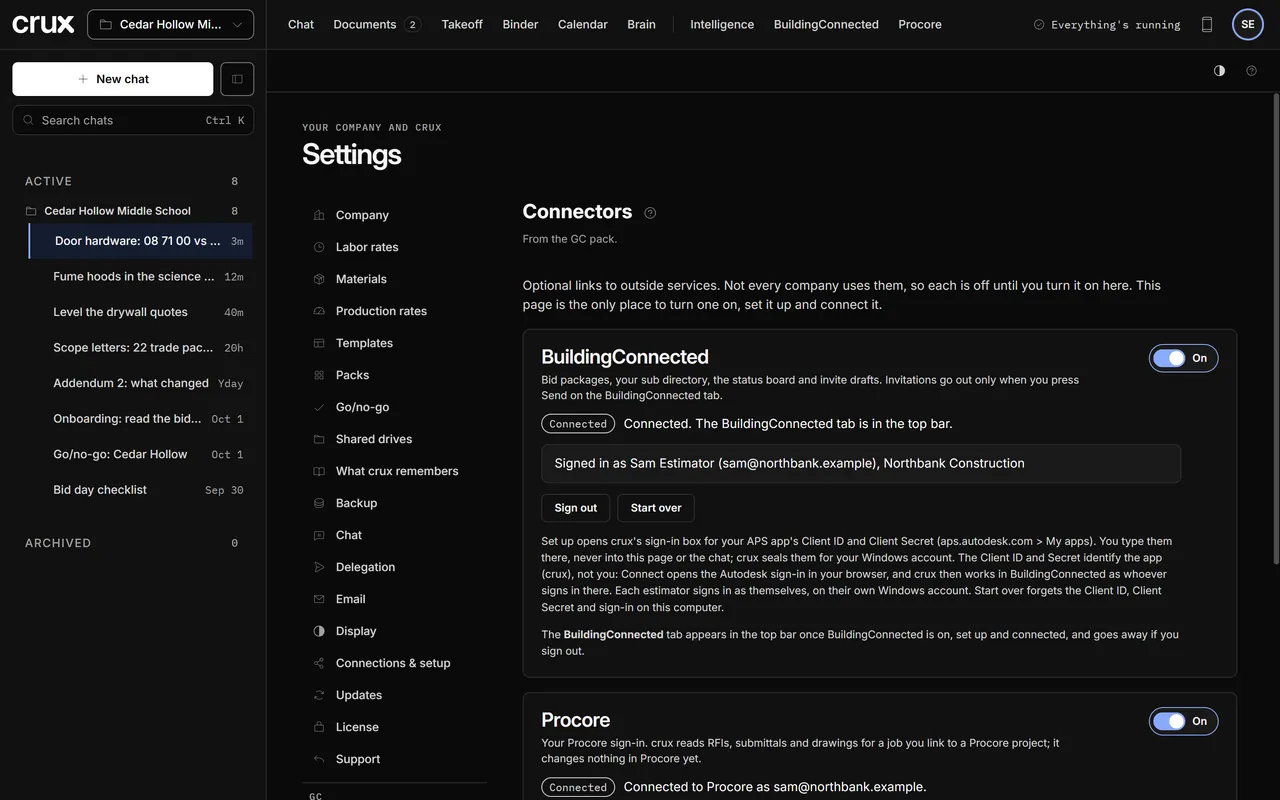
BuildingConnected and Procore stay off until you turn them on here. Each estimator signs in as themselves.
02 · How it works
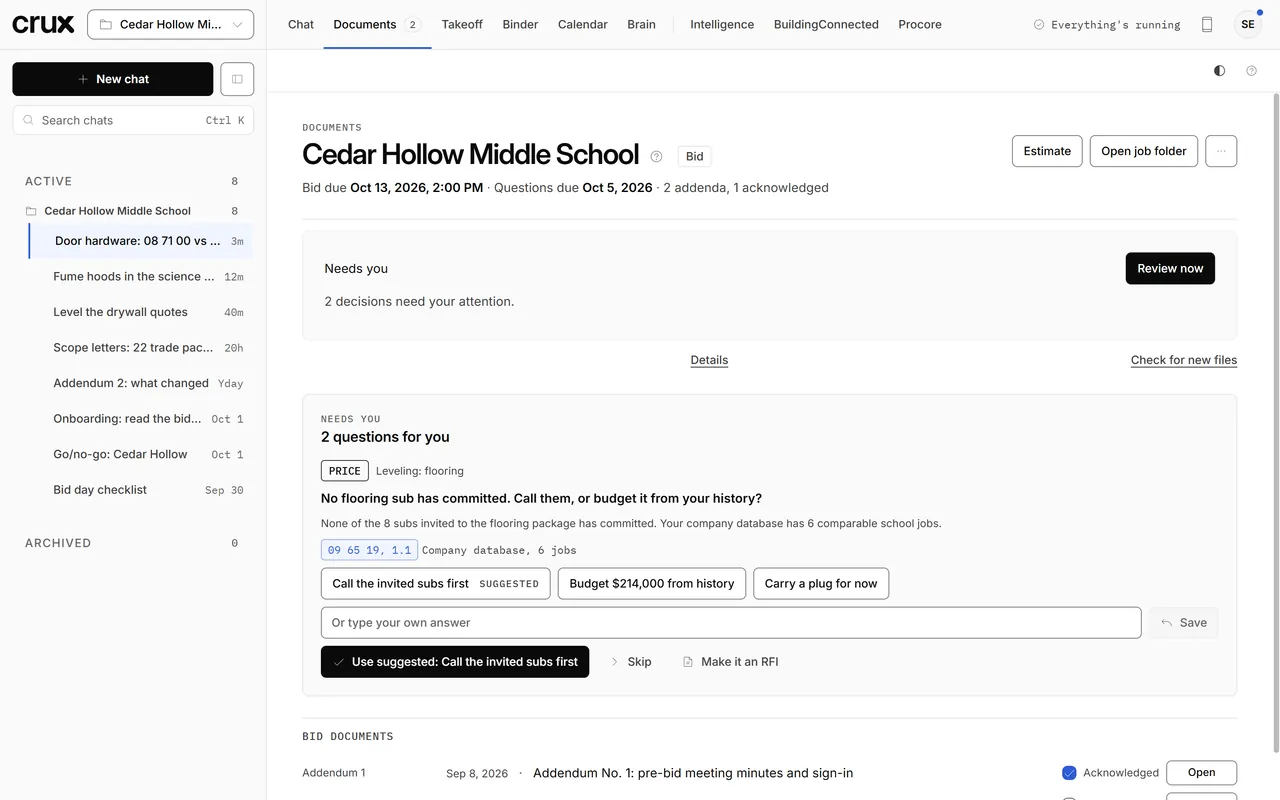
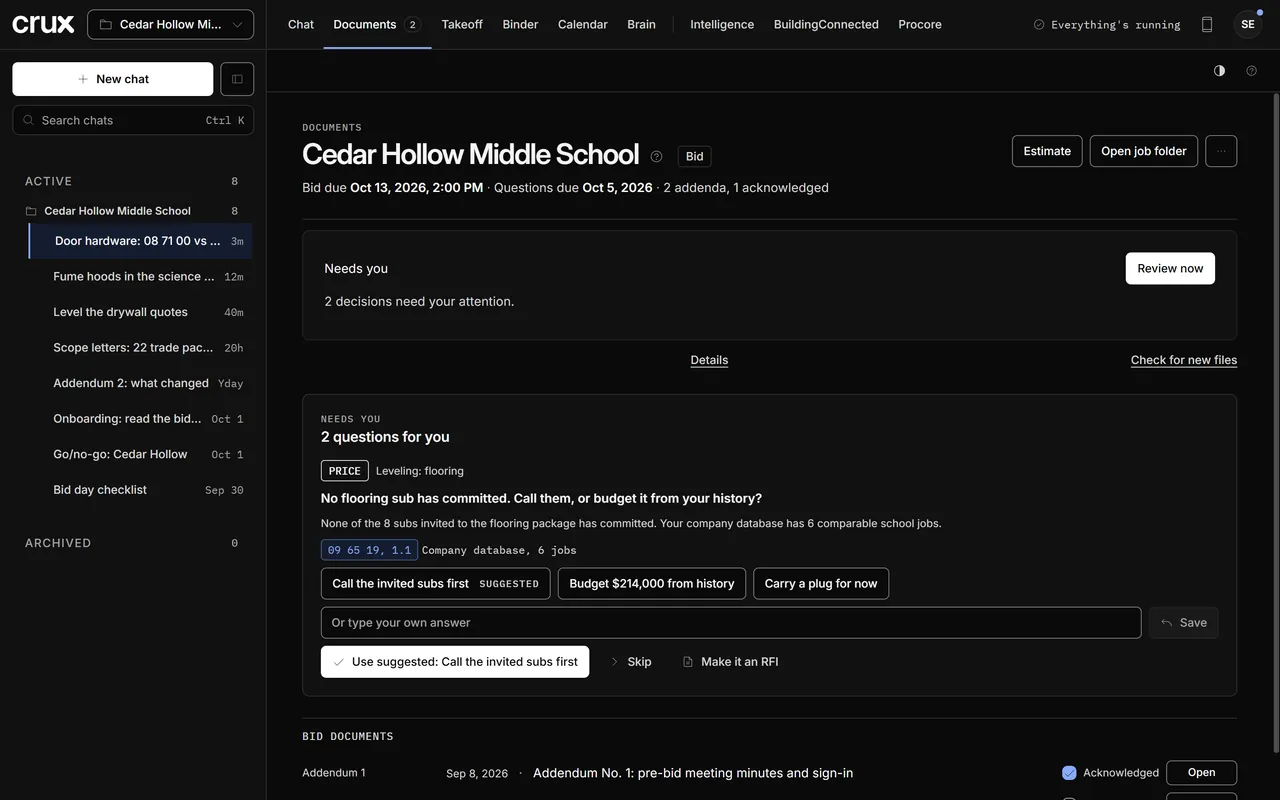
One sample GC bid, followed from the bid set to the number. These are screens from the crux app itself; the company, its subs and the project are made up.
02.1 Bid documents
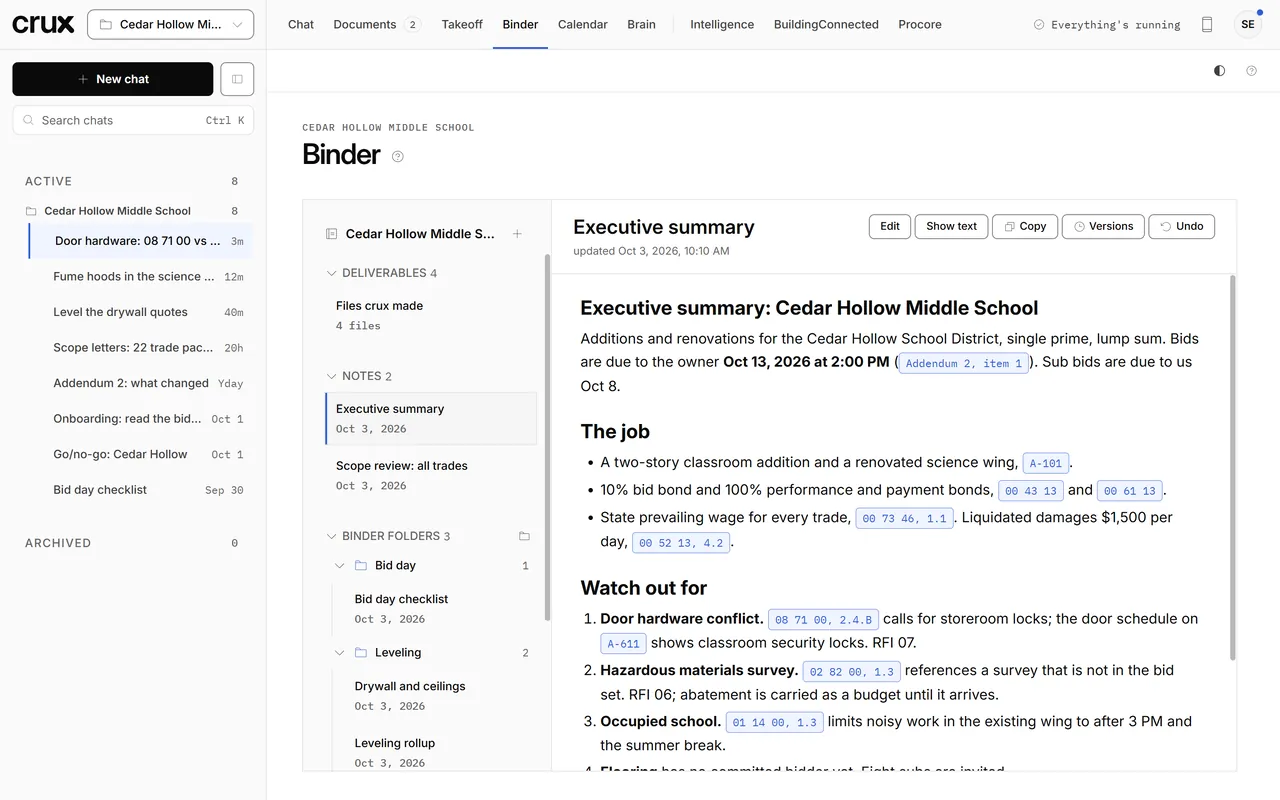
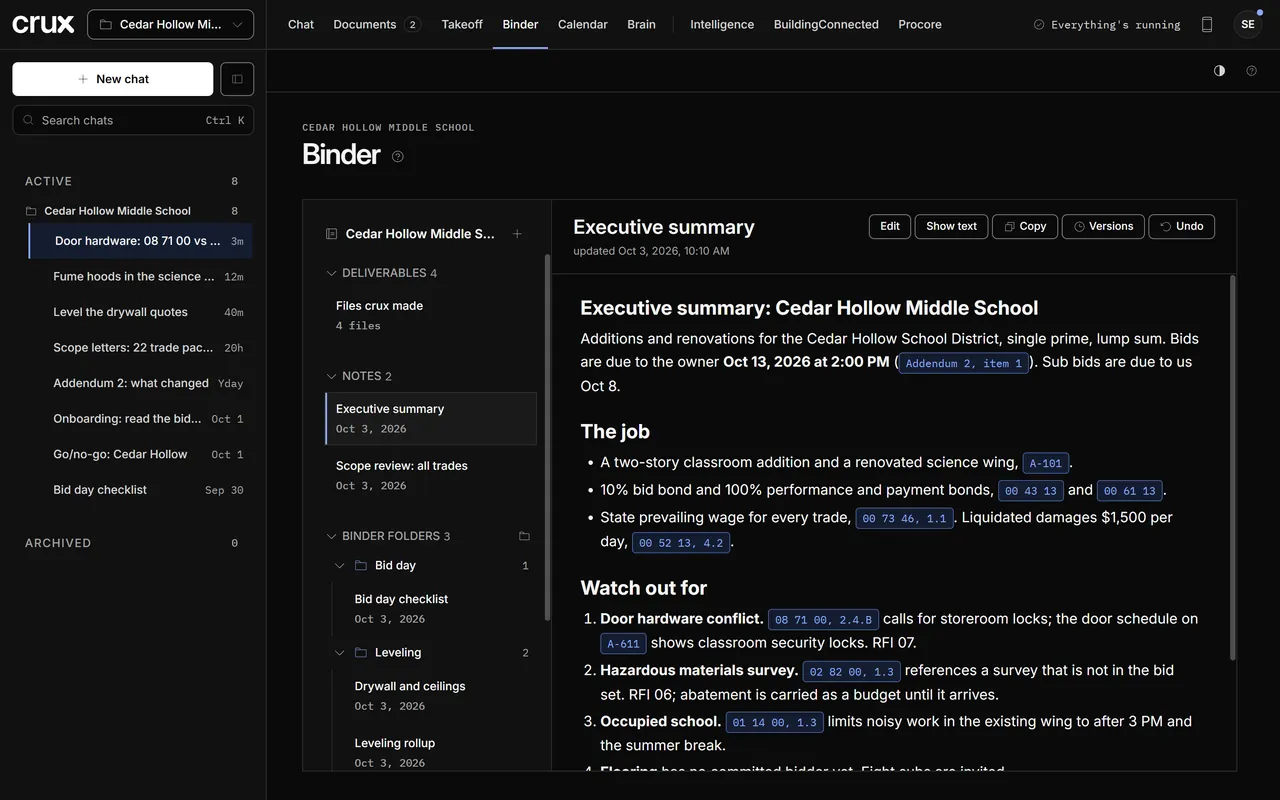
Drop in the project manual, drawings, addenda and bid form. crux indexes every page, writes the executive summary and a scope review for every trade, notes what each addendum changed and keeps it all in your Binder.
Every fact crux reports carries its source, down to the sheet or the spec paragraph. Click a pill to see the page.
02.2 Conflicts
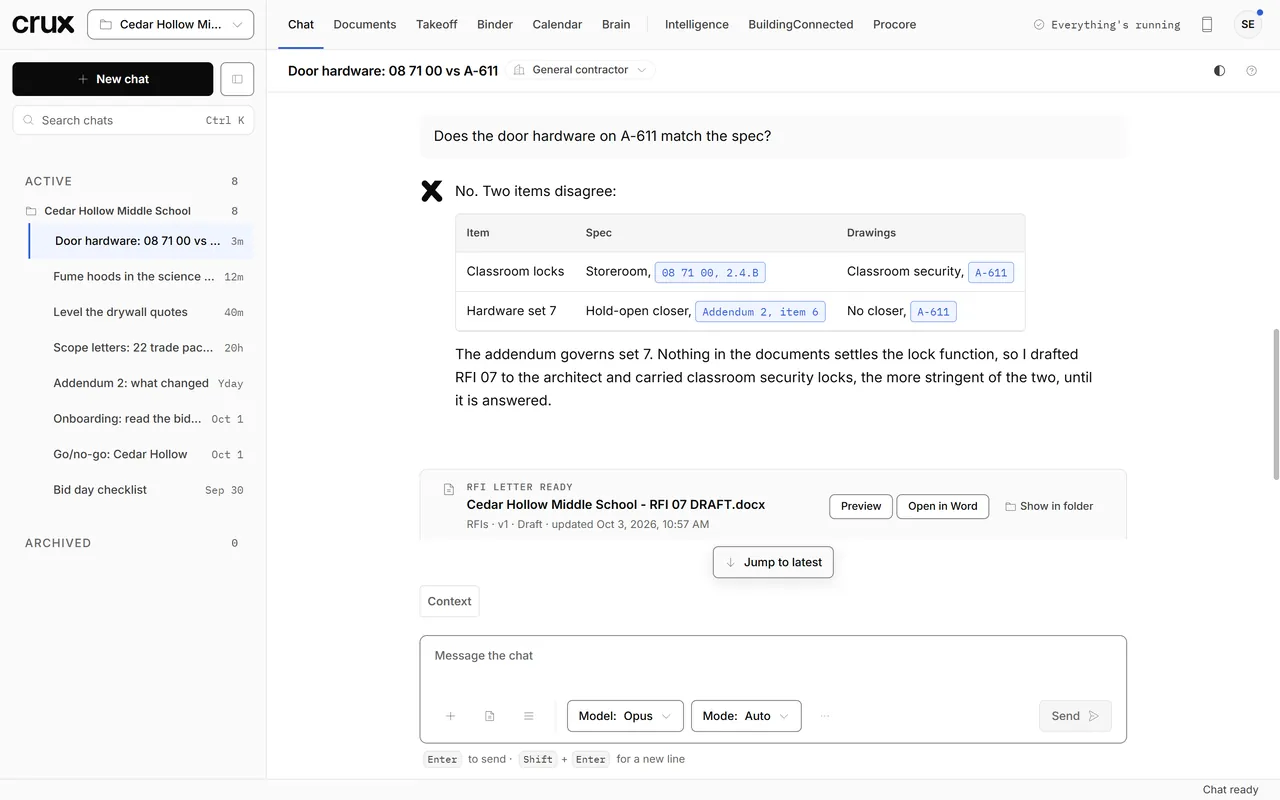
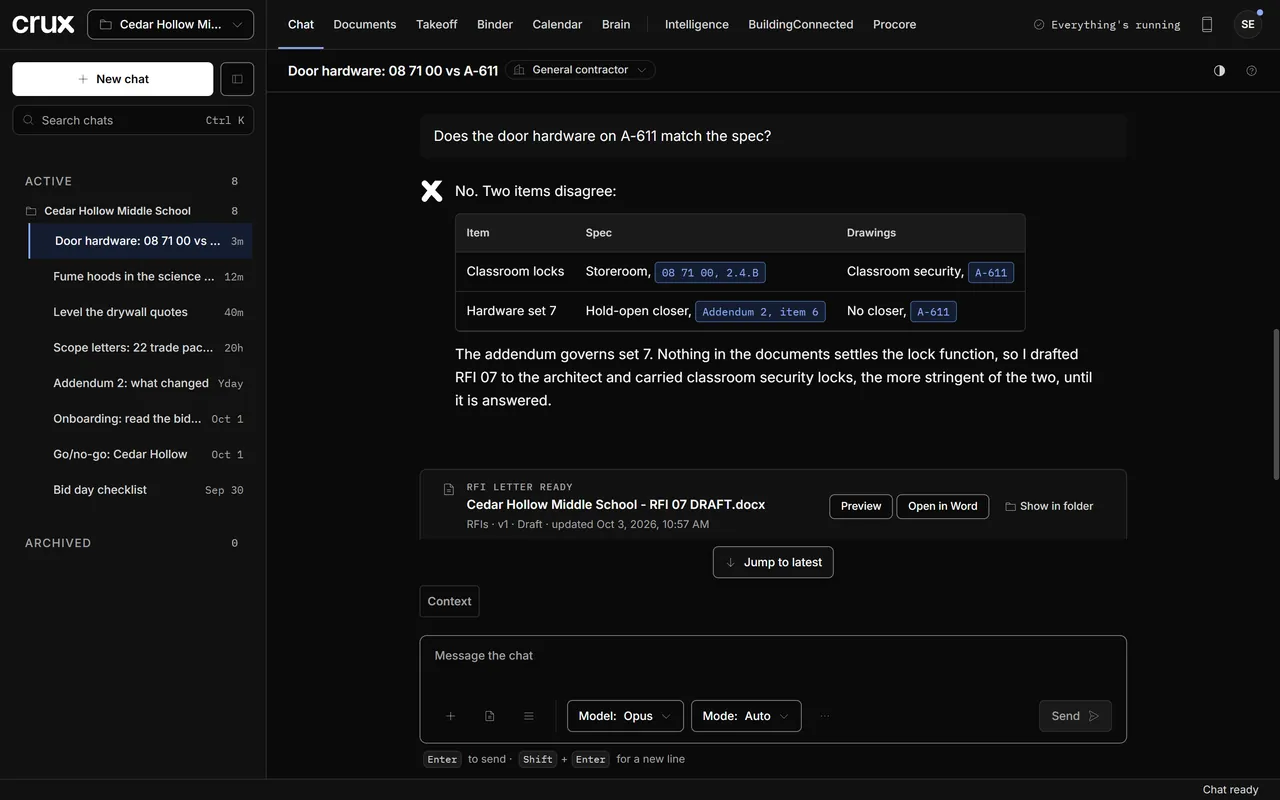
Ask in plain words. crux checks the spec against the sheets, says which document governs when an addendum settles it, and drafts an RFI when nothing does. Until the answer comes back, it tells you what it carried.
Questions only the architect or owner can answer become RFI drafts. You send them.
02.3 Leveling
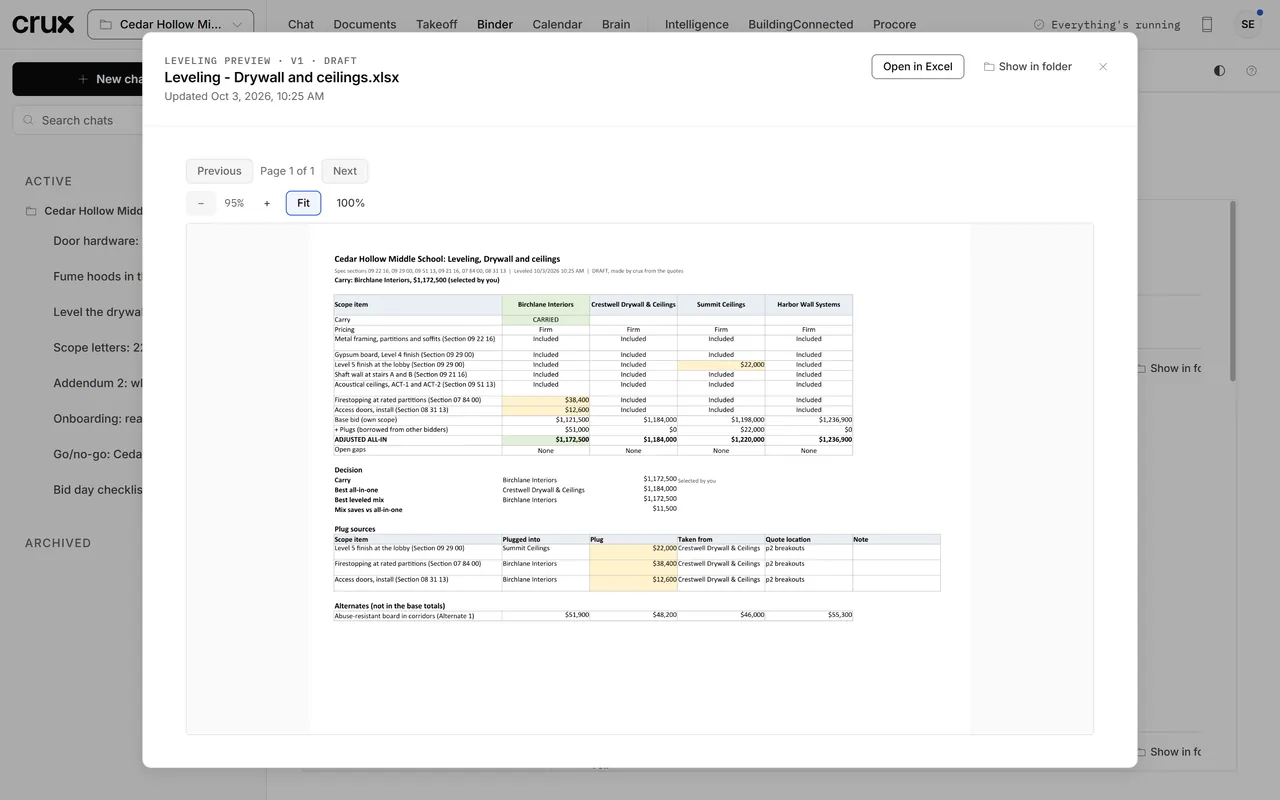
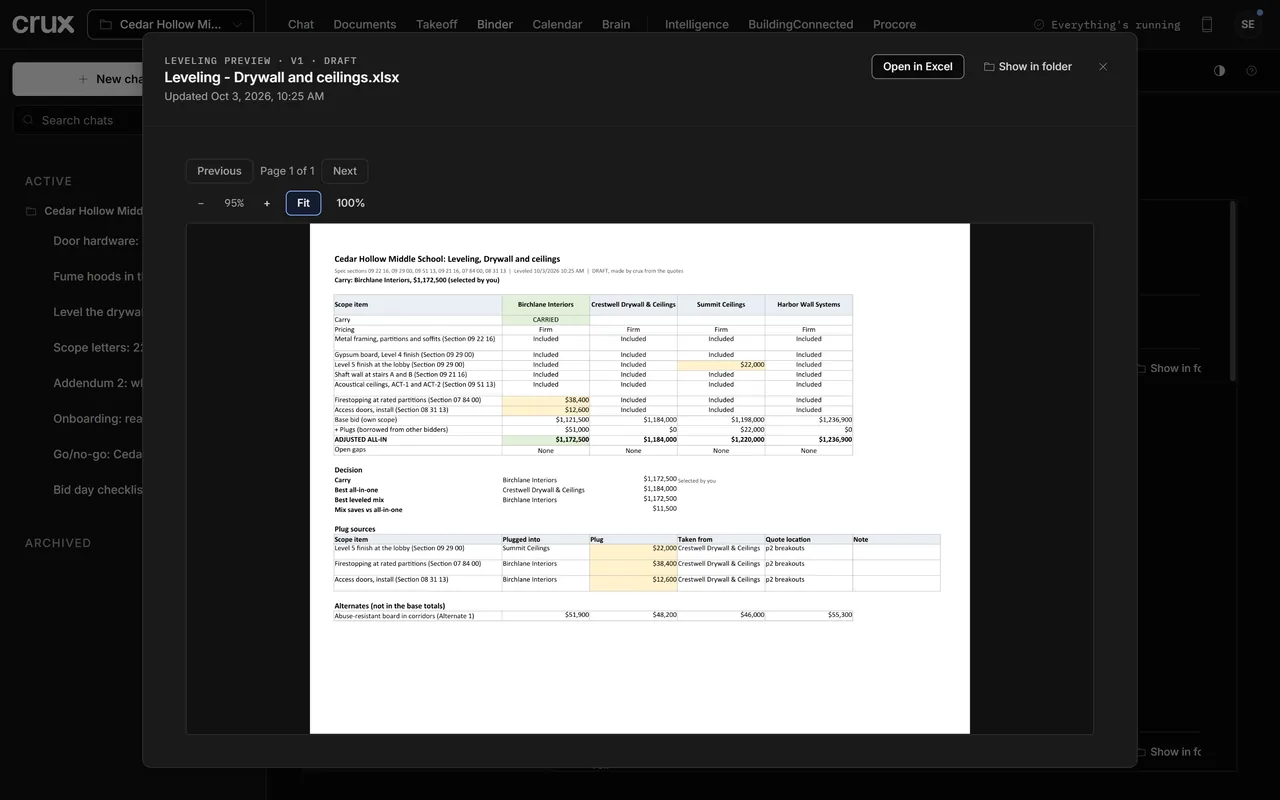
crux reads each quote against the scope checklist in your scope letter. What a bidder left out gets a plug from another bidder's printed breakout, marked and cited, so the leveled totals compare the same scope. You pick the number to carry.
Each plug names its source: the quote, the page and the line.
02.4 Scope letters
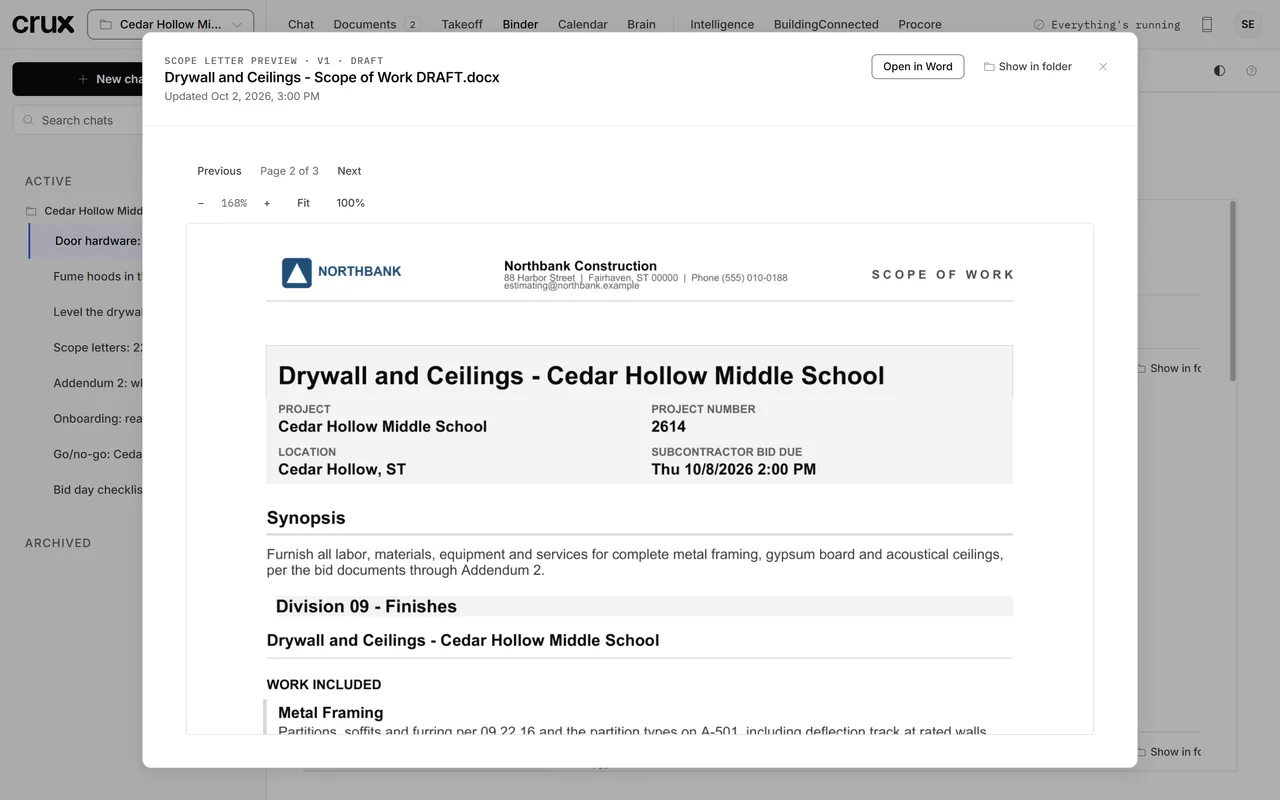
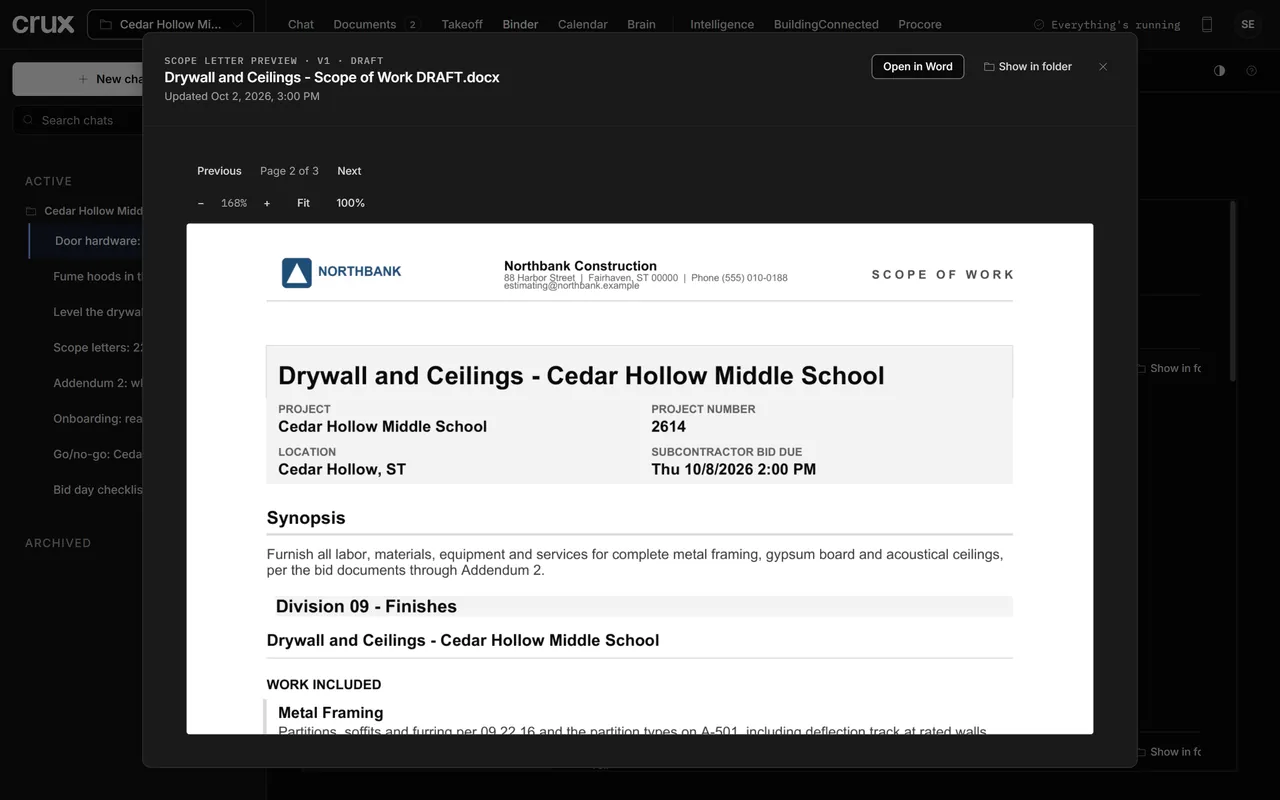
One letter per trade package: a bid form the sub returns, the work included, alternates and breakouts priced separately, and what's by others, each item tied to its section or sheet, through the latest addendum.
Anything that leaves your company is a draft. You review it and you send it.
02.5 Takeoff
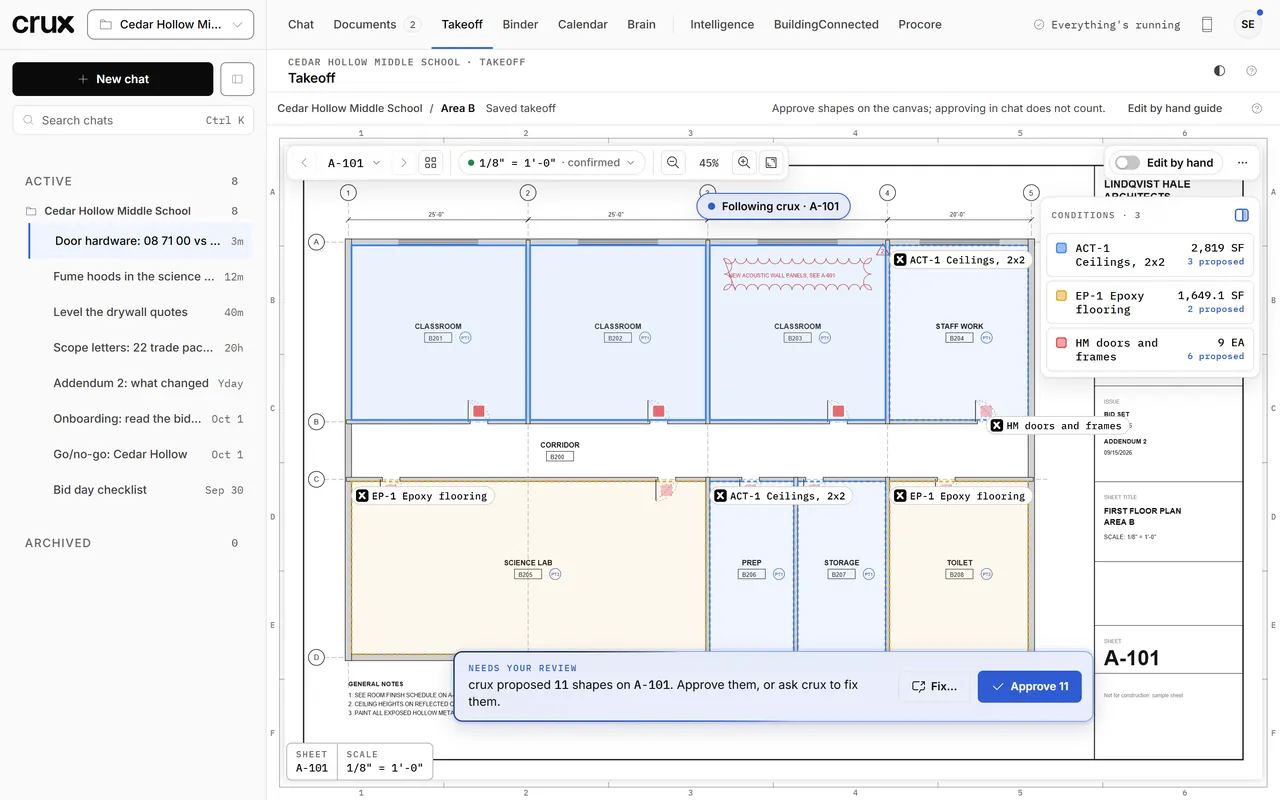
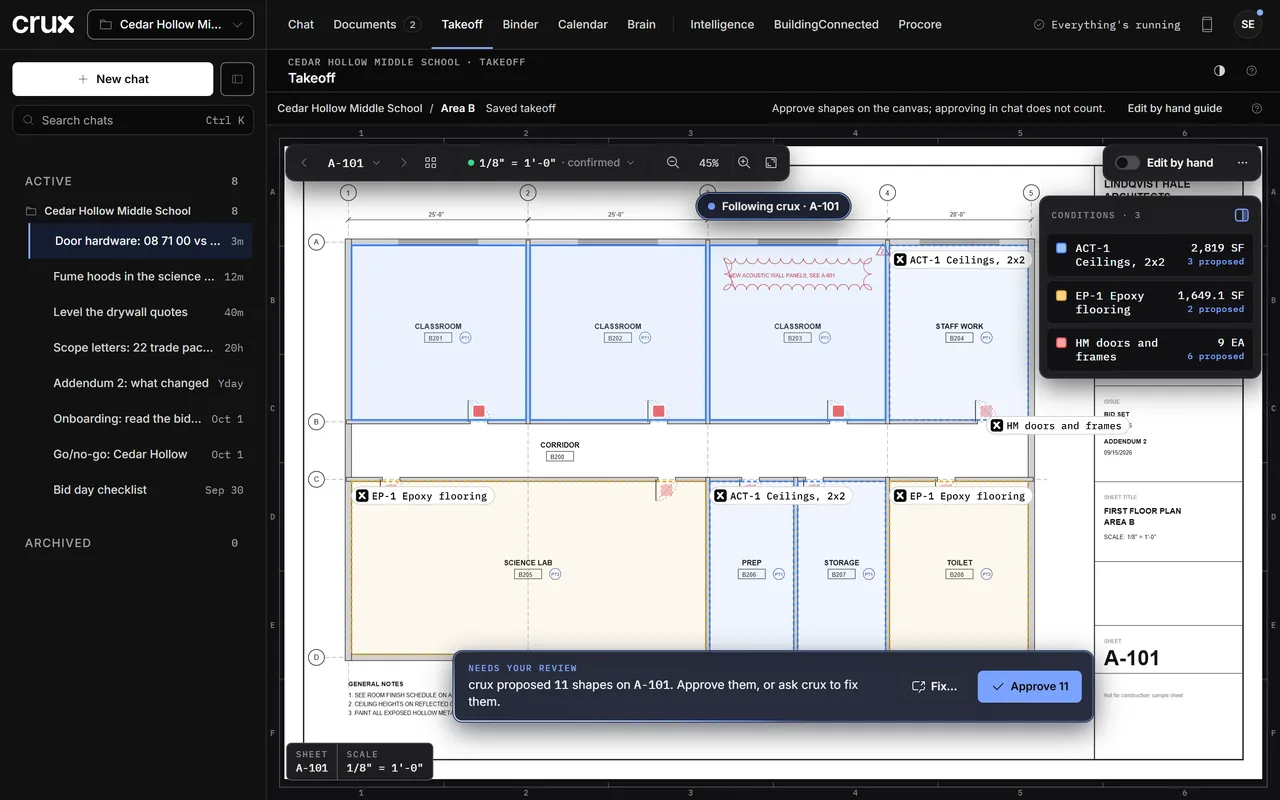
crux traces rooms, walls and openings from the drawing's vector lines, at the sheet's own scale, and computes the quantities you need: ceilings, flooring, doors, whatever the scope calls for. A picture can show where something is; it never sets a number. What crux proposes waits on the canvas for your approval.
When a dimension isn't on the drawings, crux asks you in chat and cites your answer.
02.6 Estimate
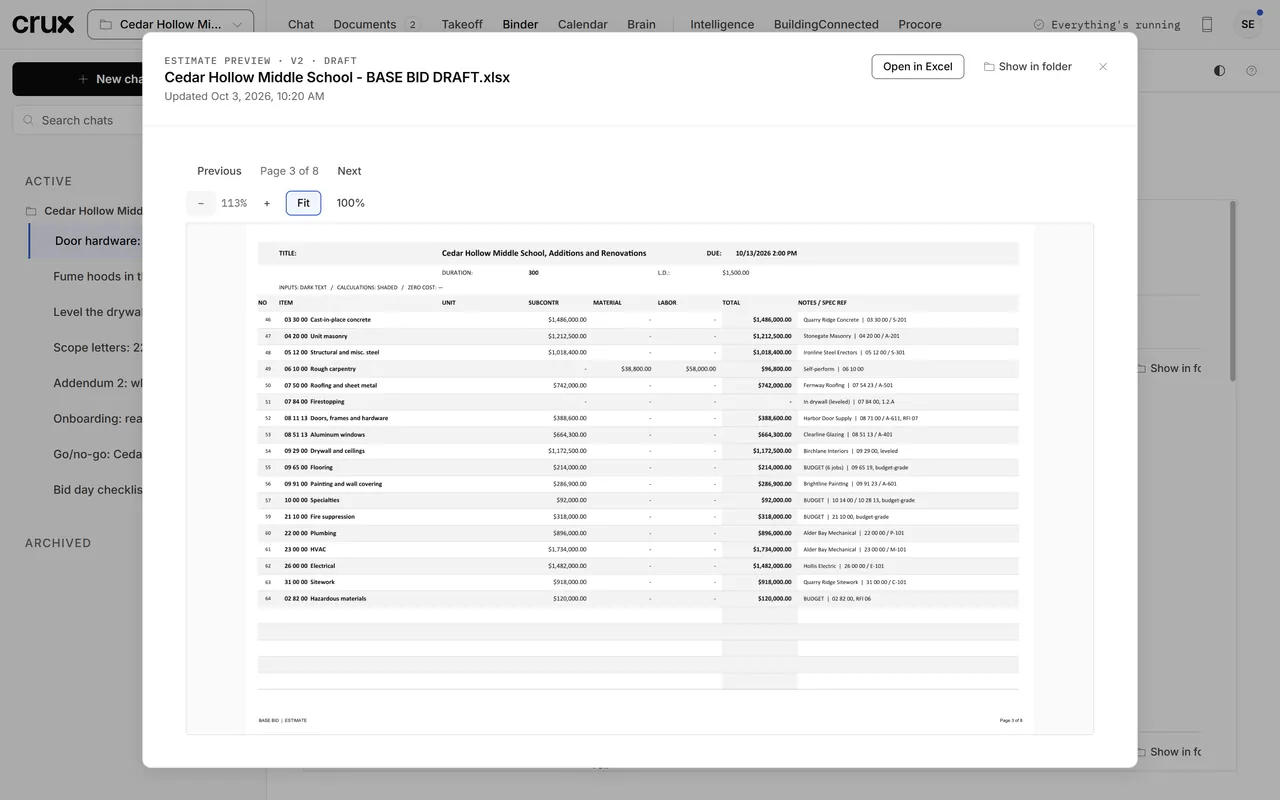
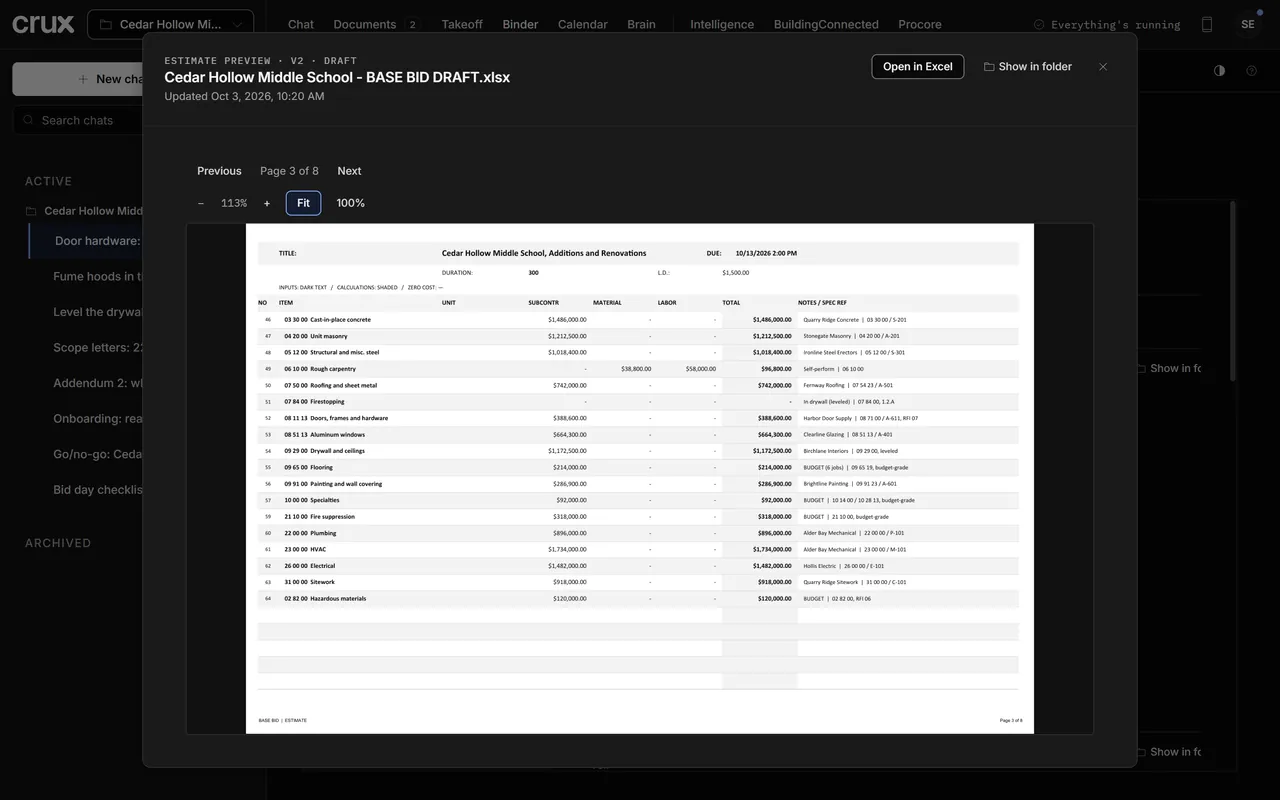
crux carries the leveled sub numbers, your general conditions and the takeoff into your own estimate workbook, with the sub and a spec reference beside each line. A trade with no quote yet is budgeted from your company's history and marked, until a real number comes in.
Numbers you haven't confirmed stay labelled budget-grade, with where each one came from.
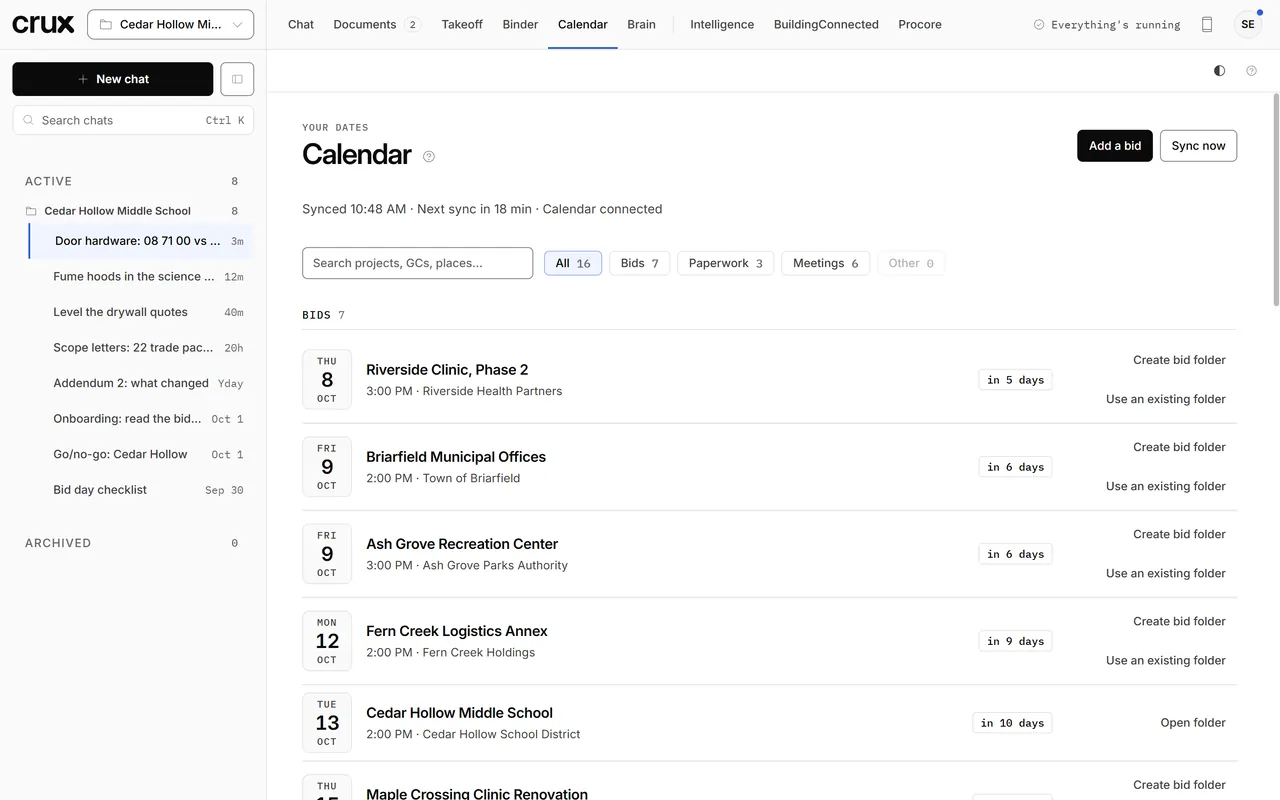
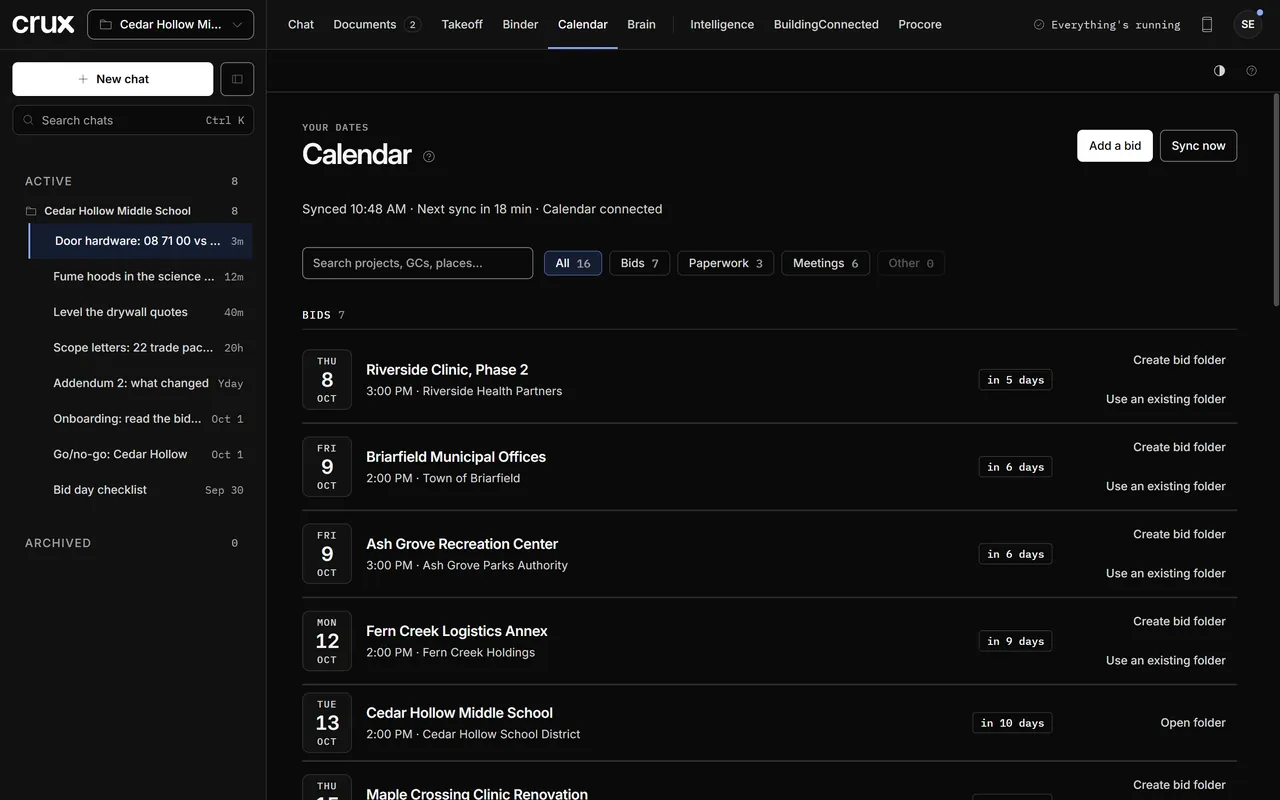
02.7 Calendar
crux reads your calendar and lists what's coming: bid dates, pre-bid walks, forms and bonds due, and the meetings on the jobs you've won. Each bid gets its folder in one click, and filters split bids, paperwork and meetings.
It reads your calendar. It never books or accepts anything for you.
03 · BuildingConnected + Procore
crux connects to the tools you already bid and build in, and does the setup for you. You check it, and you approve every change before crux makes it. Nothing goes out to a sub until you publish or press Send.
Each connector stays off until you turn it on in Settings. Each estimator signs in as themselves.
crux sets up the project, the bid packages and the invite lists in BuildingConnected. You look it over and click Publish in BuildingConnected.
Link a won job to its Procore project and crux reads it for you: RFIs, submittals and drawings, each one cited back to Procore, for the precon, the submittal register and every question after.
04 · Brain
crux remembers what you teach it: your rates, your preferences, the calls you made and the lessons from every job. The next bid starts from all of it.
A local-first memory of facts, lessons and work sessions, linked as you work and kept on your own PC.
The live Brain view needs 3D graphics. Here is what this sample crux remembers.
Live demo · sample memories, made up for this pagecrux app · Brain
Labor and production rates, markups, and the exclusions you always carry. Tell it once in chat, or save it in Settings.
A lesson from one bid, like which drywall subs leave firestopping out of their number, is there for the next one.
See, search and correct what it knows. Say "forget the note about…" and it's gone.
Memories live on your computer, not on our servers. Your memories are never shared with other crux users.
05 · Built-in knowledge
crux doesn't start from a blank page. It comes with an estimator's reference shelf: hundreds of pages of curated estimating guidance built from decades of industry knowledge, on practice, contract terms, prevailing wage and local rules. When crux leans on it, it tells you so. If something doesn't fit how you work, switch it off or correct it in your own words.
Hybrid retrieval, on your own machine: dense vector embeddings fused with BM25 keyword ranking, so a search finds what a passage means and the exact words it uses. Curated, versioned construction knowledge reaches the AI through crux's own MCP server, one section at a time, with your switch-offs and corrections applied before it reads a word. No answering from memory.
Hundreds of topics, each one a section crux can look up when a question needs it.
Every topic is listed in Settings with a one-line summary. You decide what crux uses.
06 · Checked before you see it
AI can sound sure and still be wrong. crux's built-in checks stop AI hallucination before it reaches you, so what you read is what your documents say, and what crux doesn't know, it asks.
Guardrails on every answer: grounded in your documents, cited to the source, with a human in the loop for anything that leaves your company.
Each fact points to the sheet, spec section or addendum it came from. Click the citation and the page opens, so you can check it in seconds.
When the documents don't answer something, crux drafts an RFI to the architect or owner, or asks you in chat. It never fills the gap with a guess.
Lengths, areas and counts are measured from the drawing's vector lines at the sheet's scale. AI finds things on the sheet; it never sets a number.
Prices you haven't confirmed are marked budget-grade, with where each one came from, until you confirm them.
RFIs, scope letters, invites and emails are drafts. You review and send everything that leaves your company; crux never sends on your behalf.
07 · Add-on packs
crux is built for the GC's side of the bid, and every GC seat comes with the GC pack. A trade pack adds one trade's own knowledge: the spec sections it cares about, its takeoff rules, production rates, labor and material defaults, and its proposal language. Add one for the work you self-perform, or run crux as a specialty sub on a subcontractor seat.
For painting you self-perform, or for commercial painting subcontractors.
The core is built trade-agnostic, so each new trade is a new pack, not a new product. Your seat stays the same. Tell us which trades you self-perform or bid.
08 · On your phone
On the walk, in a meeting, out on the jobsite: keep working the job from your phone. Ask crux and get a cited answer, see where every chat stands, and lean on what crux knows. Your PC does the work back at the office.
Your bids stay on your PC. Your phone shows your chats.
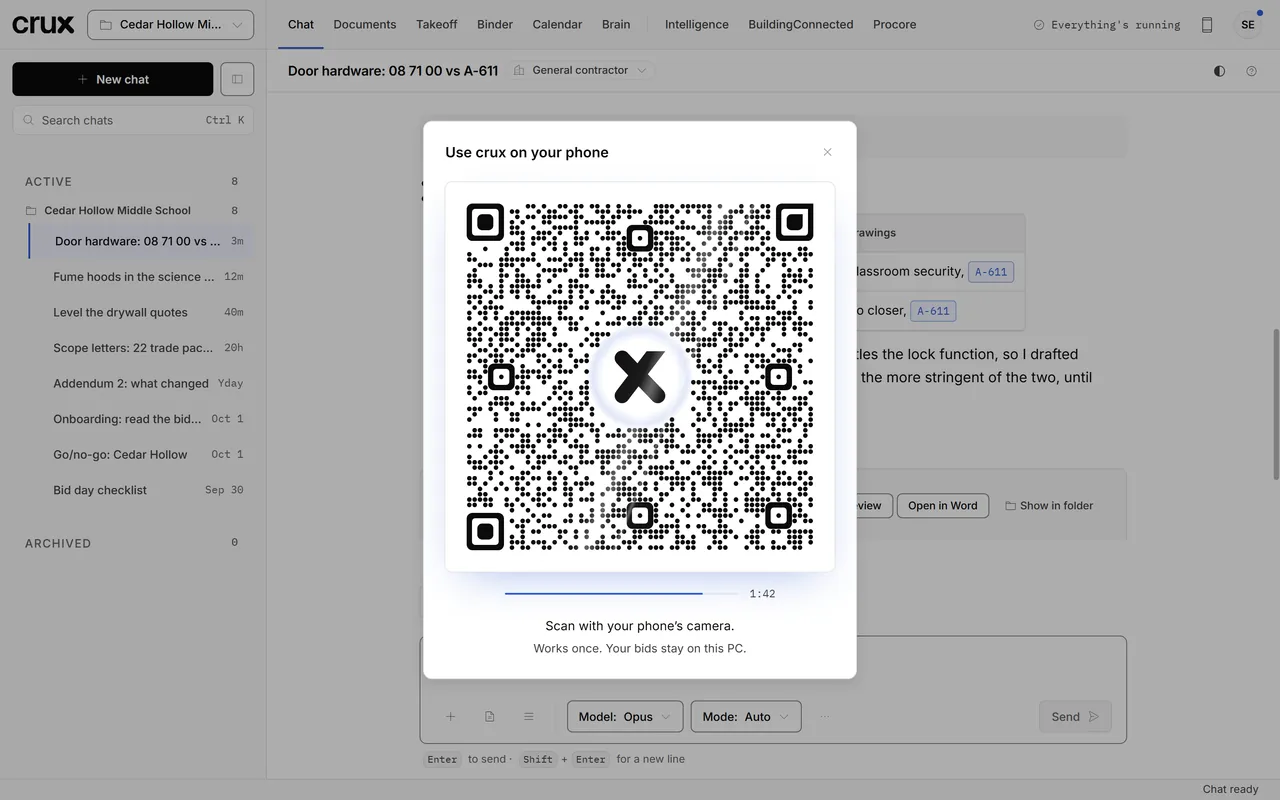
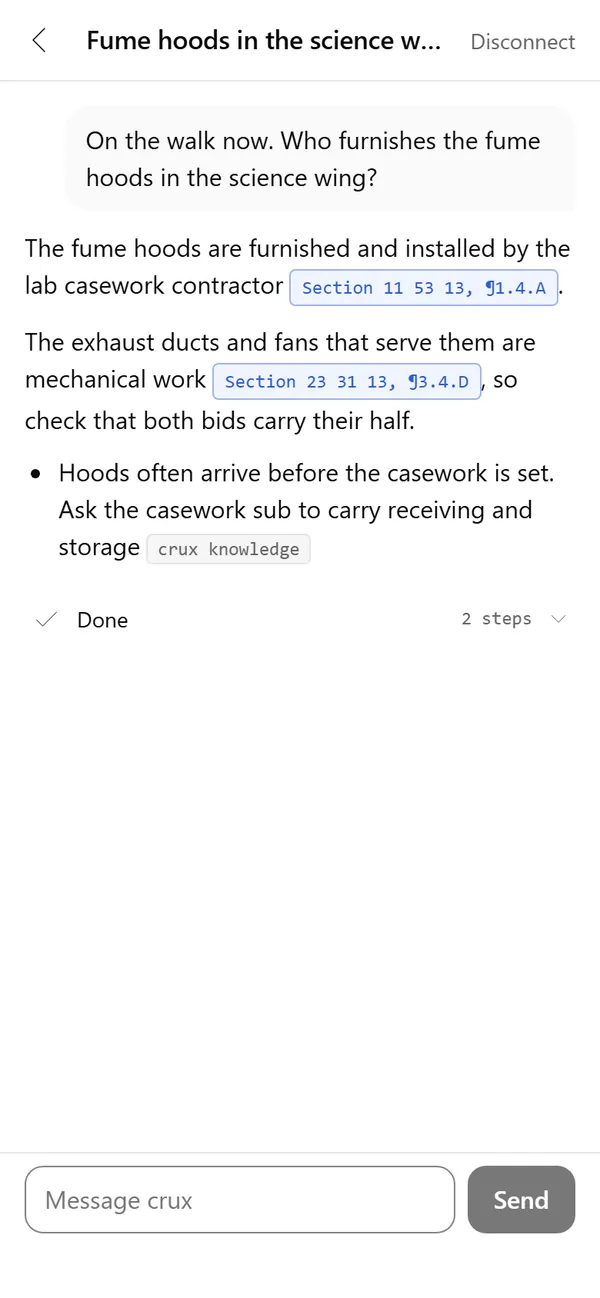
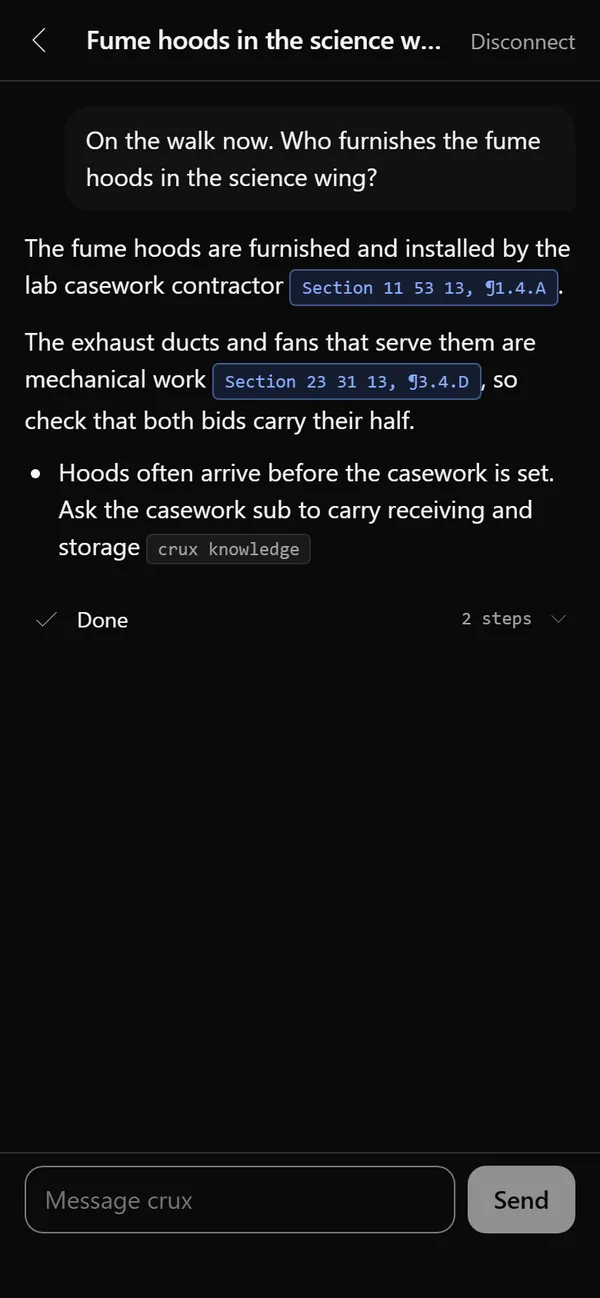
Click the phone icon in crux and scan the code with your phone's camera. Match one symbol on both screens and you're in.
Pick up any chat where you left it, or start a new one in any job. See which chats crux is working on and which need you.
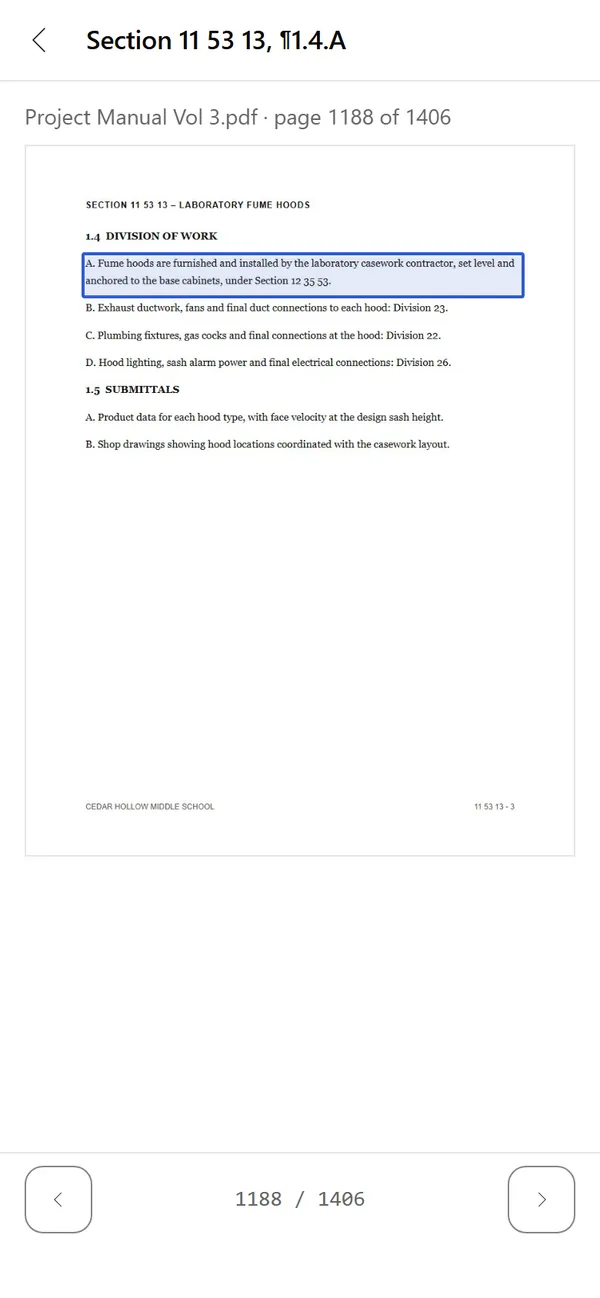
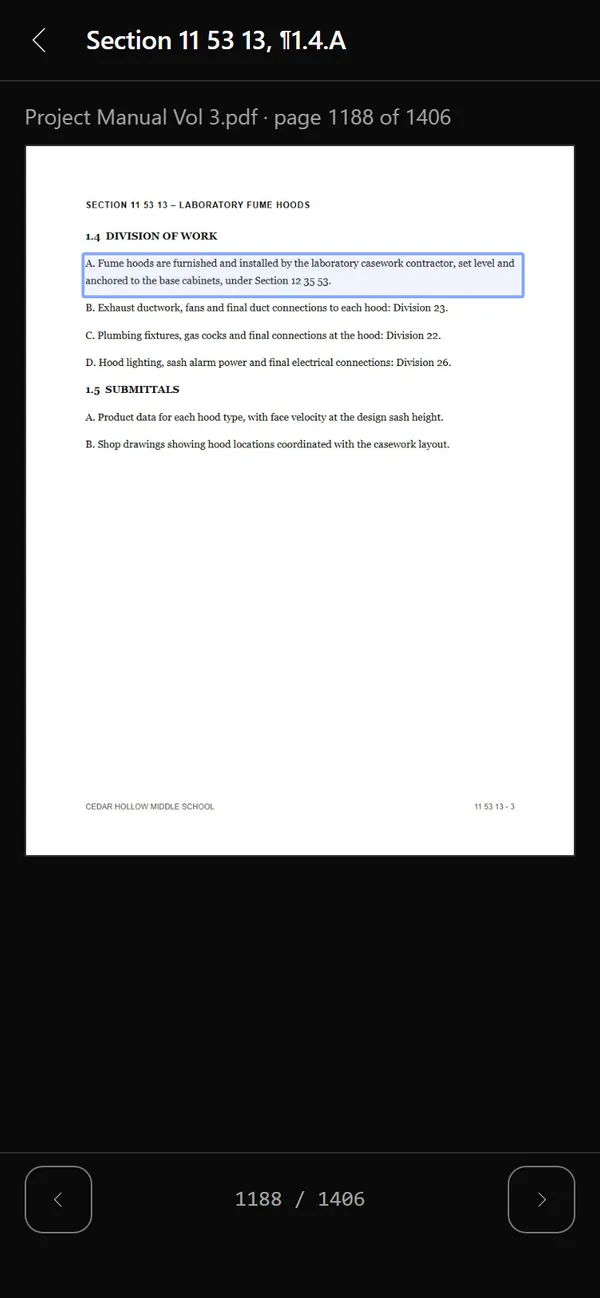
Answers keep their citations. Tap one and the page opens on your phone with the cited words boxed, and you can page through the document.
When crux asks before it does something, answer from your phone with the same choices you get on the PC.
09 · Pricing
A seat is one licensed user on one Windows computer, with the full app, updates and support. A subcontractor seat comes with the trade pack for your trade; a GC seat with the GC pack. crux isn't on public sale yet: request early access and we'll send your checkout link when your seat is ready.
billed once a year; renews yearly until you cancel
The GC pack: bid leveling, scope letters, a company cost and competitor database with the Intelligence tab, the GC estimate workbook, bid day and buyout, optional BuildingConnected and Procore connections, shared-drive teamwork and conformed sets.
Request early accessbilled once a year; renews yearly until you cancel
Your trade pack: the spec sections your trade cares about, its takeoff rules, production rates, labor and material defaults, and the proposal language that protects you. Painting and coatings is the first; more trades are coming.
Request early accessBilling terms
Every seat includes
You'll also need a Windows 10 or 11 PC (see system requirements) and your own paid Claude subscription from Anthropic, billed separately by Anthropic. crux does not include or resell Claude.
10 · Why Claude
We tested 10 AI models on a real public-school bid set. Claude Opus was the most accurate.
Two tests. First, we handed each model the pages it needed. Then each model had to search the full 1,229-page project manual, addendum and drawings itself and cite what it found, the way crux works. Overall is the average of the two.
The rules. Same questions for every model, each run twice. A script scored them; no AI graded another. Requests went only to providers that don't keep the data.
| Model | Handed the pagesPages | Searching the manualSearch | Overall |
|---|---|---|---|
| Claude Opus 5.5 | 99.8 | 99.2 | 99.5 |
| Grok 4.7 | 91.9 | 99.2 | 95.5 |
| GPT-6.1 Sol | 91.7 | 97.5 | 94.6 |
| Gemini 4 Argon | 93.2 | 94.0 | 93.6 |
| Mistral Large 4 | 94.5 | 75.0 | 84.7 |
| Kimi K3.1 Pro | 84.8 | 84.2 | 84.5 |
| DeepSeek V4 Pro | 75.0 | 88.3 | 81.7 |
| MiniMax M3 | 79.7 | 80.9 | 80.3 |
| Llama 4 Maverick | 63.1 | 11.1 | 37.1 |
| gpt-oss-120b | 60.8 | 0.0 | 30.4 |
11 · Your data
crux runs on your computer, not ours. The memory, the checks and the knowledge base around the AI all live on your machine. Your bids, drawings, rates and pricing never touch crux's servers; we couldn't see them if we wanted to.
crux's servers
Stripe handles payment, so card numbers never reach crux. Emails go out through Resend.
Your computer
Backups and company profiles are files you save where you choose, locked with your own password. crux can't open them.
Your Claude account
When crux reads a document for you, it goes to Anthropic under that agreement, never through crux.
For your IT team
The short version for whoever looks after your computers and your network.
12 · FAQ
Not yet. crux is in private beta and is not on public sale. Request early access and we'll email you when a seat is ready, with a secure Stripe checkout link. You won't be charged anything until you complete that checkout.
No. crux runs on your computer. Your bid documents, drawings, takeoffs, estimates, rates, pricing, proposals, chats and company knowledge stay in your own folders and never touch crux's servers. Backups and company profiles are files you save where you choose, locked with a password you choose; crux can't open them.
The AI works through your own Claude account. When crux reads a document for you, that content goes to Anthropic under your own agreement with Anthropic, not through crux.
crux's servers handle licensing and billing only: your email, your license key, a device key for your one computer, and license and usage events. Stripe handles payment, so card numbers never reach crux. See the Privacy Policy.
Commercial construction, from the general contractor's side first. crux is made for the way commercial jobs are bid and built: project manuals and spec sections, drawing sets, addenda, trade packages and scope letters, sub quotes, prevailing wage and Davis-Bacon labor, submittals and subcontracts.
Reading a commercial bid set, sorting it and reconciling the addenda typically takes an estimator four to five hours. crux reads most bid sets in 10 to 30 minutes (a real 1,781-page set took about 33) and writes them up, cited, in your binder while you keep working. Because it runs bids side by side, you can work several projects at once.
crux is built for general contractors, and every GC seat comes with the GC pack. Trade packs are add-ons: one for each trade you self-perform, or the pack for your trade if you're a specialty sub. The core (reading the bid set, measuring, citing, drafting) is the same for everyone; a trade pack adds that trade's skills: its spec sections, takeoff rules, production rates and proposal language.
Painting and coatings is the first trade pack, with lead-based paint rules built in. Others are coming. Tell us your trade when you request early access and we'll let you know when its pack is ready.
crux is billed once a year. A subcontractor seat is $3,990/yr and includes one trade pack of your choice. A GC seat is $6,990/yr and includes the GC pack and one sub trade pack. Each extra trade pack is $990/yr, for subs and GCs alike.
The GC pack, with bid leveling, scope letters, a company cost and competitor database with the Intelligence tab, the GC estimate workbook, bid day and buyout, optional BuildingConnected and Procore connections, shared-drive teamwork and conformed sets. It also includes one sub trade pack, for the work you self-perform; further sub packs are $990/yr each.
Yes. crux runs on your own paid Claude subscription from Anthropic, which you buy and manage separately. During setup, crux installs Anthropic's official Claude app and you sign in with your own account. crux doesn't include, resell or pay for Claude usage.
It never guesses. Quantities are computed from the vector geometry in your PDF drawings: lengths, areas and counts. Images are used only to find what and where. When something needed for a quantity isn't in the documents, such as a wall height, crux asks you and records your answer as the source.
Scanned, image-only drawings don't carry vector geometry, so crux will tell you what it can't measure rather than estimate it.
Not at launch. crux is a Windows desktop app for Windows 10 and 11 (64-bit).
| Minimum | Recommended | |
|---|---|---|
| Windows | Windows 10 (22H2) or 11, 64-bit | Windows 11, 64-bit |
| Processor | 4 cores (Intel Core i5 or AMD Ryzen 5, 2019 or newer) | 8 or more cores (Core i7/i9 or Ryzen 7/9) |
| Memory | 16 GB | 32 GB or more |
| Storage | SSD with 10 GB free | SSD with 25 GB or more free |
| Screen | 1920 × 1080 | 1920 × 1080 or larger; a second monitor helps for takeoff |
| Graphics | Built-in graphics | Any modern graphics card (optional speed-up) |
| Internet | Broadband, while you use crux | Wired or strong Wi-Fi |
| Software | LibreOffice (free, required; crux installs it during setup) | Also Microsoft Excel and Word, to open your files outside crux |
| Claude | Claude Pro subscription | Claude Max, for heavy bid weeks |
crux itself needs no administrator rights: it installs for your Windows user only. LibreOffice, which crux needs to show your estimate and proposal inside the app, comes from its publisher during setup, and its installer may ask Windows for permission once. The heaviest moment is when crux first reads a bid set: a 900-page set takes about 15 minutes on a recommended PC and longer on a minimum one. Chat, estimates and proposals are light, because the AI itself runs on Anthropic's servers.
A seat is one license for one person on one computer. To move to a new computer, deactivate the seat in the app on the old one and activate it on the new one. If the old computer is lost or dead, email us and we'll reset it.
Cancel anytime from the Stripe billing portal (linked from the app and from your receipts). Cancellation takes effect at the end of the year you've paid for, and you keep full access until then. Stripe emails you a reminder 30 days before each yearly renewal. There are no refunds, except your first payment if you ask within 7 days and the unused part of your prepaid year if we shut crux down or end your subscription for a reason that is not your fault; renewals are not refunded. See the Refund & Cancellation Policy for details.
No. RFIs, scope letters, proposals and emails are drafts, and BuildingConnected invites go out only when you press Send. crux sets up your bid packages in BuildingConnected; you publish them. You review everything and you send it. In Procore, crux only reads today; when it starts making changes there, each one will wait for your approval too.
13 · Early access
We're opening seats to a small group of companies first, starting with general contractors (the GC pack) and painting and coatings, the first trade pack. Tell us who you are and what you bid, and we'll be in touch.